

Why Every Blogger Should Switch from HTTP to HTTPS for a Secure and Successful Website
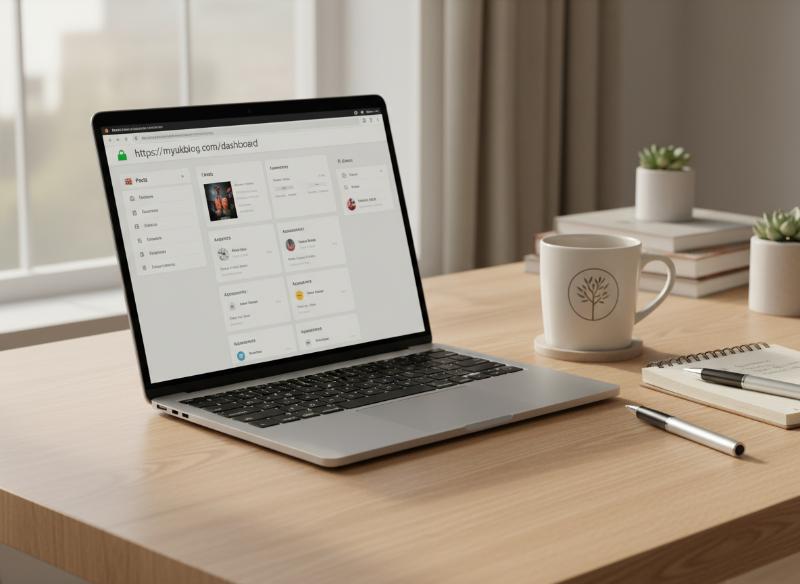
If you’re running a blog—whether you’re just starting out or you’ve been publishing for years—you’ve probably seen those little “http” or “https” prefixes at the beginning of website URLs. While it might seem like a minor technical detail, the difference between HTTP and HTTPS is huge for your blog’s security, credibility, SEO, and even your potential to earn money online. In this guide, you’ll learn exactly what HTTP and HTTPS mean, why upgrading to HTTPS is essential for bloggers in 2025, and how to make the switch with confidence.
What Is HTTP?
HTTP stands for HyperText Transfer Protocol. It’s the foundational protocol that allows your web browser to communicate with a website’s server and display web pages. When you visit a site that starts with “http://”, your browser is requesting and receiving information using this protocol. However, HTTP is not secure. Any data sent between your browser and the website—such as login details, contact forms, or even the pages you visit—can potentially be intercepted by hackers or third parties.
What Is HTTPS?
HTTPS stands for HyperText Transfer Protocol Secure. It’s the secure version of HTTP, and it uses a technology called SSL (Secure Sockets Layer) or its modern replacement, TLS (Transport Layer Security), to encrypt all data exchanged between your browser and the website. When you see “https://” and a padlock icon in your browser’s address bar, it means the website is using HTTPS and your connection is encrypted and secure.
Why Does HTTPS Matter for Bloggers?
Switching to HTTPS is no longer just for banks, online shops, or big brands. It’s a must for every blogger, no matter your niche or audience size. Here’s why:
- Security: HTTPS encrypts data, protecting your readers’ personal information and your own login details from hackers.
- Trust: Modern browsers warn users when they land on a site that isn’t secure, which can scare off potential readers or customers.
- SEO: Google uses HTTPS as a ranking factor, so secure sites are more likely to appear higher in search results.
- Monetisation: Many ad networks, affiliate programmes, and payment processors require HTTPS for participation.
- Professionalism: A secure site signals that you take your blog and your readers’ privacy seriously.
The Risks of Staying on HTTP
Bloggers who don’t upgrade to HTTPS face a range of risks that can damage their reputation and growth.
- Data interception: Hackers can intercept unencrypted data, including login credentials and personal details submitted via forms.
- Browser warnings: Chrome, Firefox, Safari, and Edge all display warnings on HTTP sites, which can scare away readers.
- Lower search rankings: Google gives preference to HTTPS sites, so you’ll struggle to compete in organic search.
- Lost revenue: Some ad networks and affiliate programmes won’t work with non-secure sites.
- Reduced trust: Visitors may see your blog as outdated or unsafe, leading to higher bounce rates.
How Does HTTPS Work?
When a website uses HTTPS, it has an SSL/TLS certificate installed on its server. This certificate is like a digital passport that verifies the site’s identity and enables encryption.
- When a visitor lands on your HTTPS site, their browser checks the SSL certificate.
- If the certificate is valid, the browser and server establish a secure, encrypted connection.
- All data sent between the browser and server is scrambled, making it unreadable to anyone who might intercept it.
- The padlock icon appears in the address bar, signalling to users that the site is secure.
How to Tell If a Site Uses HTTPS
- Look for “https://” at the start of the URL.
- Check for a padlock icon in the browser’s address bar.
- Click the padlock to view certificate details and see who issued it.
Why Google Prefers HTTPS
Google has been pushing for a more secure web for years. Since 2014, HTTPS has been a confirmed ranking factor, and the Chrome browser now marks all HTTP sites as “Not Secure.” This means:
- Secure sites are more likely to rank higher in Google search results.
- Google Search Console provides extra insights and features for HTTPS sites.
- Google Analytics works best on secure sites, ensuring accurate data collection.
Impact on SEO and Rankings
While HTTPS alone won’t catapult your blog to the top of search results, it’s a clear signal of trust and quality. Here’s how HTTPS helps your SEO:
- Higher rankings: All else being equal, Google will rank a secure site above a non-secure one.
- Improved click-through rates: Users are more likely to click on secure links, especially when browser warnings appear for HTTP sites.
- Better referral data: Secure sites pass accurate referral data to Google Analytics, helping you track traffic sources more effectively.
- Access to advanced features: Some new web technologies and features (like AMP, Service Workers, and push notifications) require HTTPS.
HTTPS and User Trust
Trust is everything in blogging. If readers don’t feel safe on your site, they won’t stick around or share your content. HTTPS builds trust in several ways:
- The padlock icon and “Secure” label reassure visitors that their data is protected.
- Contact forms, comment sections, and payment pages are encrypted, reducing the risk of data breaches.
- A secure site shows that you care about your audience’s privacy and safety.
Monetisation and HTTPS
If you want to make money from your blog, HTTPS is non-negotiable.
- Ad networks like Google AdSense require HTTPS for serving ads.
- Affiliate programmes often reject non-secure sites due to privacy concerns.
- E-commerce tools and payment gateways (like PayPal, Stripe, or WooCommerce) only work on secure sites.
- Readers are more likely to trust and buy from a secure blog.
Common Myths About HTTPS
- “HTTPS is only for e-commerce or big websites.” In 2025, every website should use HTTPS, regardless of size or purpose.
- “It’s expensive to get an SSL certificate.” Many hosting providers offer free SSL certificates via Let’s Encrypt or similar services.
- “HTTPS slows down your site.” Modern SSL/TLS is fast and efficient—most users won’t notice any difference in speed.
- “Switching to HTTPS will break my blog.” With proper planning, the transition is smooth and benefits outweigh any temporary challenges.
How to Switch from HTTP to HTTPS
Upgrading your blog to HTTPS is easier than you might think. Here’s a step-by-step process:
- Check with your web host. Most hosts offer free SSL certificates and can install them for you.
- Install your SSL certificate. This is usually done via your hosting dashboard or by contacting support.
- Update your WordPress settings. Go to Settings > General and change your site URL and WordPress URL to “https://”.
- Redirect all traffic from HTTP to HTTPS. Set up a 301 redirect in your .htaccess file or use a plugin like Really Simple SSL.
- Update internal links. Change all links in your posts, pages, and menus to use HTTPS.
- Update external services. Update your site URL in Google Analytics, Google Search Console, social media profiles, and email marketing tools.
- Check for mixed content. Make sure all images, scripts, and stylesheets load over HTTPS to avoid browser warnings.
- Test your site. Use tools like SSL Labs’ SSL Test or Why No Padlock to check for issues.
Troubleshooting Common HTTPS Issues
- Mixed content warnings: Some resources (like images or scripts) are still loading over HTTP. Update their URLs to HTTPS.
- Broken redirects: Make sure all HTTP URLs redirect properly to HTTPS versions.
- Loss of social share counts: Some sharing tools treat HTTP and HTTPS as separate URLs, which can reset your share counts.
- Plugin conflicts: Update all plugins and themes to ensure compatibility with HTTPS.
Best Practices for HTTPS Maintenance
- Renew your SSL certificate before it expires—many hosts automate this, but check regularly.
- Monitor your site for mixed content and fix any issues promptly.
- Keep your WordPress, plugins, and themes updated for security.
- Regularly back up your site in case you need to roll back changes.
Advanced HTTPS Topics for Bloggers
- Wildcard certificates: Secure all subdomains (like shop.yourblog.com) with a single certificate.
- Extended Validation (EV) certificates: Display your business name in the address bar for extra trust (often used by large businesses).
- Content Delivery Networks (CDNs): Services like Cloudflare offer free SSL and speed up your site globally.
- HTTP/2: A modern protocol that works with HTTPS and boosts site performance.
HTTPS and Google Search Console
Once you’ve switched to HTTPS, add the new version of your site to Google Search Console.
- Submit your updated sitemap to help Google crawl your secure pages.
- Monitor for crawl errors or indexing issues.
- Check that your traffic and ranking data are consistent after the switch.
FAQs About HTTPS for Bloggers
Is HTTPS really necessary if I don’t sell anything?
Yes—HTTPS protects all data, builds trust, and is required for SEO and many monetisation options.
Will switching to HTTPS hurt my traffic?
If done correctly, you shouldn’t lose traffic. In fact, you may see a boost in rankings and click-through rates.
Is a free SSL certificate good enough?
For most bloggers, a free certificate from Let’s Encrypt or your host is perfectly adequate.
Do I need to update old blog posts?
Yes—update all internal links to use HTTPS and check for mixed content to avoid browser warnings.
How do I know if my site is secure?
Look for “https://” and a padlock in the address bar. Use online tools to scan for issues.
Final Thoughts
Switching from HTTP to HTTPS is one of the best things you can do for your blog’s security, SEO, and credibility. It’s no longer optional in 2025—it’s a standard that readers, search engines, and partners expect. By making the move to HTTPS, you’ll protect your audience, improve your search rankings, and set your blog up for long-term success. If you have questions or need help upgrading your blog to HTTPS, leave a comment or get in touch—I’m here to help you build a safer, more successful website.